
April 20, 2026

AI Prompt Log Tool "Prompt Beacon" Released

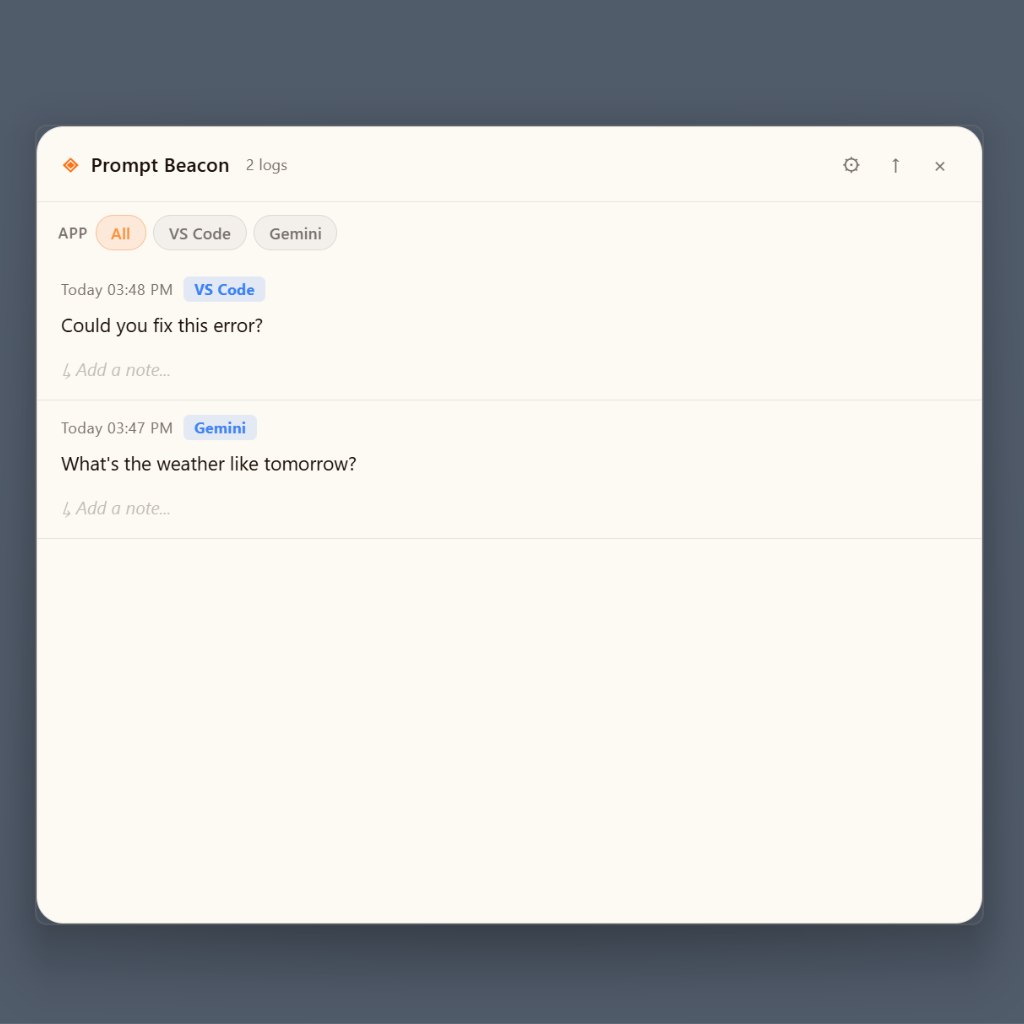
Prompt Beacon Screenshot

hovvy is pleased to announce the release of "Prompt Beacon," a desktop tool for developers and creators.

"What did I ask that AI again...?"
You type a prompt into ChatGPT, Gemini, or Claude — and forget it the moment you close the tab.
Prompt Beacon captures every AI instruction you write, so nothing gets lost.

Key Features:

  • Alt+Space — Instant launch from anywhere on your desktop with an always-on-top floating input bar
  • App detection & auto-tagging — Recognizes 20+ tools in real time:
    • AI — ChatGPT, Claude, Gemini, Copilot, Perplexity, Grok, Mistral, DeepSeek, Meta AI
    • IDE — Cursor, VS Code, Windsurf
    • AI Dev — Bolt, v0, Replit, Lovable
    • Productivity — Notion, GitHub, Slack, Figma … and more
  • Auto-paste — Saves your prompt and sends it directly to the original app
  • History panel — Browse all your logs, filtered by app or #hashtag
  • Result notes — Add what happened after each prompt
  • 3 themes — White / Dark / Brown
  • English and Japanese UI

Privacy & Security:

  • All data stays 100% on your device
  • No cloud sync, no login, no network connection required
  • Works completely offline

Requirements:
Windows 10 / 11 (x64)

Download:
GitHub Releases (v0.1.0) →
Windows users: Download prompt-beacon-setup.exe from the Assets section at the bottom of the page and run it.

※ This app is currently in early development. If Windows shows a security warning when running the installer, click "More info" and then "Run anyway."

← Back to News